
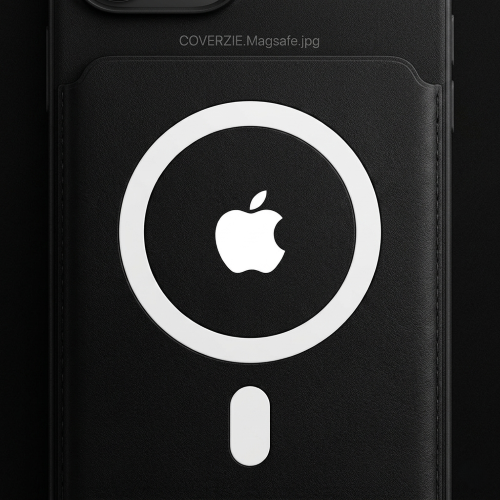
You set your iPhone on the nightstand, plug in the cable in the dark, miss the port twice, and finally give up and sleep with a half-charged phone. Or maybe you’ve had a MagSafe wallet peel off your case mid-commute because the magnets weren’t strong enough. If either of those sounds familiar, understanding the MagSafe case 2026 ecosystem — and whether you actually need to be in it — is worth five minutes of your time.
What Is MagSafe?
MagSafe is Apple’s magnetic attachment system built into every iPhone from the iPhone 12 onwards, including the full iPhone 16 lineup. At its core, it’s a ring of precisely aligned magnets embedded inside the back of the phone. Those magnets let accessories snap into exactly the right position every single time — no fumbling, no misalignment.
But MagSafe is more than just wireless charging. It’s an entire accessory ecosystem: snap-on wallets that hold your cards, car mounts that lock the phone in portrait or landscape without a clamp, battery packs that attach magnetically, grips, stands, and more. The magnet ring is what makes all of it work together predictably.
Charging-wise, MagSafe delivers up to 15W on iPhone 12 and later (compared to 7.5W for standard Qi), which means a noticeably faster wireless top-up when you use an actual MagSafe charger.
What Makes a Case “MagSafe Compatible”?
Not all cases play nicely with MagSafe, and the difference matters more than most people realize.
Apple’s official MagSafe cases are engineered with a built-in magnet array that aligns perfectly with the phone’s internal ring. They carry the “Made for MagSafe” (MFi) certification, which guarantees magnet strength meets Apple’s spec — typically N45-grade neodymium magnets.
Third-party MagSafe-compatible cases vary wildly. Some use the same N45 magnets and deliver identical performance. Others use weaker N35 or N38 magnets that technically allow accessories to attach but won’t hold a heavy car mount on a bumpy road. A $9 case from an unverified seller almost certainly falls into this category.
The tell: if a case doesn’t list its magnet grade or MFi certification, assume it’s underpowered.
MagSafe Case Benefits
- Faster wireless charging. A MagSafe case with the correct magnet alignment maintains the 15W connection. A thick non-MagSafe case can drop that to 7.5W or lower.
- The accessory ecosystem. Once you’re in the MagSafe world, swapping between a desk stand, car mount, and wallet takes one second each. No re-threading, no re-clamping.
- Snap-on wallet convenience. The MagSafe wallet attaches and detaches in under a second. For people who hate bulky wallet cases, this is genuinely useful.
- No cable wear. Wireless charging eliminates the slow degradation of your Lightning or USB-C port from daily plugging.
- Better resale value. Cases from reputable MagSafe-certified brands tend to hold up better and carry recognized names, which matters if you resell accessories.
MagSafe Case Drawbacks
- Price premium. Certified MagSafe cases start around $25–$30 and go well past $60 for premium brands. A solid non-MagSafe case can be had for $10–$15.
- Added bulk. The magnet ring embedded in the case adds a small but real amount of thickness — usually 0.3–0.5mm. It’s minor, but if you run ultra-slim cases, you’ll notice.
- Accessory lock-in. MagSafe accessories are largely an Apple and iPhone ecosystem. Android users get limited support, and even some third-party MagSafe accessories behave differently across phone models.
- Non-Apple accessory interference. Some third-party wireless chargers perform worse through a MagSafe case because the embedded magnets disrupt Qi alignment. Always test with your specific charger.
Who Actually Needs a MagSafe Case
You’ll get clear, daily value from a MagSafe case if you:
- Use an iPhone 12 through iPhone 16 (the only models with the internal magnet ring)
- Already own or plan to buy a MagSafe wallet, car mount, or MagSafe charger
- Charge wirelessly most of the time and want the fastest possible wireless speeds
- Swap accessories frequently between home, car, and office
For this group, the case essentially pays for itself in convenience within a few weeks.
Who Can Skip It
Save your money on a standard case if you:
- Use an Android phone — MagSafe is Apple-exclusive hardware
- Have an iPhone 11 or older — no internal magnet ring, so MagSafe accessories won’t align properly
- Always charge via cable and have no interest in MagSafe accessories
- Are on a strict budget and don’t own any MagSafe accessories yet
A good non-MagSafe case protects your phone just as well. You’re paying for ecosystem access, not drop protection.
MagSafe Case vs Regular Case vs MagSafe-Compatible Case
| Feature | MagSafe Case (Apple) | Regular Case | MagSafe-Compatible (Third-Party) |
|---|---|---|---|
| Price | $30–$60+ | $8–$25 | $15–$45 |
| Wireless Charging Speed | Up to 15W | Up to 7.5W | Up to 15W (if N45 magnets) |
| Accessory Support | Full ecosystem | None | Varies (check magnet grade) |
| Magnet Strength | N45 (strong) | None | N35–N45 (check listing) |
| Added Bulk | Slight | Minimal | Slight |
| MFi Certified | Yes | N/A | Sometimes |
2026 Buying Tips for a MagSafe Case
When shopping for the best MagSafe case iPhone money can buy in 2026, look for:
- Magnet grade listed explicitly. N45 is the benchmark. Anything below N40 will struggle with heavier accessories like car mounts.
- Case material. Flexible TPU absorbs drops better; hard polycarbonate (PC) resists scratches better. Many quality cases combine both with a TPU interior and PC shell.
- MFi certification. “Made for MagSafe” on the packaging (not just the product title) means Apple has tested it. Third-party brands like Moment, Peak Design, and Spigen have strong track records without always requiring MFi.
- Raised bezels. A MagSafe case should still protect the screen and camera. Check that the lip around the camera cutout sits proud of the lens.
- Brand transparency. Brands that publish drop-test ratings and magnet specifications are the ones worth trusting.
For a curated list of top picks across every budget, see [https://coverzie.com/cover/magsafe-hard-pc-case-metal-buttons-2/].
FAQ
Does a MagSafe case slow down charging? No — a properly certified MagSafe case actually enables faster wireless charging. The built-in magnet ring aligns the coils precisely, allowing the full 15W transfer rate. A thick non-MagSafe case is what slows charging down, because misalignment causes the charger to throttle output.
Can I use MagSafe without a MagSafe case? Yes. iPhones from the 12 onwards have the magnet ring built into the phone itself. A MagSafe accessory will attach directly to a caseless phone or to a thin non-magnetic case. The grip and holding force will be noticeably weaker without a case that adds its own magnets, so it works but isn’t ideal for heavy accessories like car mounts.
Is MagSafe worth it in 2026? For iPhone 12–16 users who charge wirelessly and use even one MagSafe accessory — yes, unambiguously. The snap-on wallet alone changes how most people interact with their phone daily. For cable-first users or those on older iPhones, the premium isn’t justified. The ecosystem has matured significantly since launch; third-party support is strong, accessory variety is wide, and the technology is reliable enough that there’s no reason to wait any longer if you’re on the fence.